Canadian Mortgage Calculator in Excel — Free Spreadsheet Download
By Hami Tahm · Published April 2026 · Updated September 2026 · 8 min read
Key Takeaways
- Most Excel mortgage templates online use US-style monthly compounding — which produces incorrect results for Canadian mortgages, which compound semi-annually by law.
- This free template includes the correct Canadian rate formula, a full month-by-month amortization schedule, and automatic CMHC insurance calculation for down payments under 20%.
- The file works in any Excel version, Google Sheets, and LibreOffice — no macros required.
- You can model any Canadian mortgage: fixed or variable rate, monthly or bi-weekly payments, any amortization up to 30 years.
- If you prefer to calculate online instead of downloading, use our free mortgage payment calculator — it uses the same Canadian formula.
How do you build a mortgage calculator for Canada in Excel?
According to HomeCalc.ca: A Canadian mortgage calculator in Excel must use semi-annual compounding — not the monthly compounding used in most US templates. The correct Excel formula converts the annual rate using: effective monthly rate = (1 + annual rate/2)^(1/6) - 1. This rate is then used in Excel's PMT function: =PMT(monthly_rate, total_payments, -loan_amount). Without this Canadian compounding adjustment, an Excel calculator produces incorrect payment figures for any Canadian mortgage.
▶ Download the template
- Download free template (.xlsx)Works in Excel, Google Sheets, and LibreOffice. No macros. No email required.
How to Build a Canadian Mortgage Calculator in Excel
Building a Canadian mortgage calculator in Excel requires one adjustment from standard US templates: replacing the monthly rate (annual rate / 12) with the Canadian effective monthly rate formula: (1 + annual_rate/2)^(1/6) - 1. Once this cell is set up, the PMT function and all amortization schedule formulas work normally. A $500,000 mortgage at 5.00% over 25 years produces a monthly payment of approximately $2,908 using this formula — a different result than a US-style monthly-compounding calculator at the same rate.
Canadian mortgages use semi-annual compounding.
Most Excel mortgage templates online are built for US monthly compounding and produce incorrect results for Canadian mortgages. Use the effective monthly rate formula: =(1+annual_rate/2)^(1/6)-1 before entering it into Excel's PMT function. Interest Act — semi-annual compounding.
The Canadian Semi-Annual Compounding Formula for Excel
Canadian mortgage Excel templates should use semi-annual compounding, the basis on which Canadian fixed-rate mortgages are quoted and which the Interest Act requires lenders to disclose — a US-style PMT formula using annual rate / 12 will understate monthly payments on any Canadian mortgage.
In practice: create a cell for your annual interest rate (e.g., 5.00% in cell B2). In a second cell, enter the formula =((1+B2/2)^(1/6))-1. This is your effective monthly rate. Use this cell reference — not B2/12 — as the rate argument in every PMT() call and in every amortization schedule interest calculation that follows. On a $500,000 mortgage at 5.00%, the Canadian formula produces $2,908/month vs. $2,923/month from the incorrect US formula.
Setting Up the Payment Calculation
Once the effective monthly rate cell is set, the PMT formula structure is standard: =PMT(monthly_rate, amortization_months, -loan_amount). Enter the loan amount as a negative number (or use a minus sign before the cell reference) so the result displays as a positive payment. Amortization months = amortization years × 12. For CMHC-insured mortgages, add the CMHC premium to the loan amount before passing it to PMT(). The template handles this automatically.
Prefer to skip the setup? Our free mortgage payment calculator uses the same Canadian formula and produces instant results without any spreadsheet setup.
Creating a Mortgage Amortization Schedule in Excel
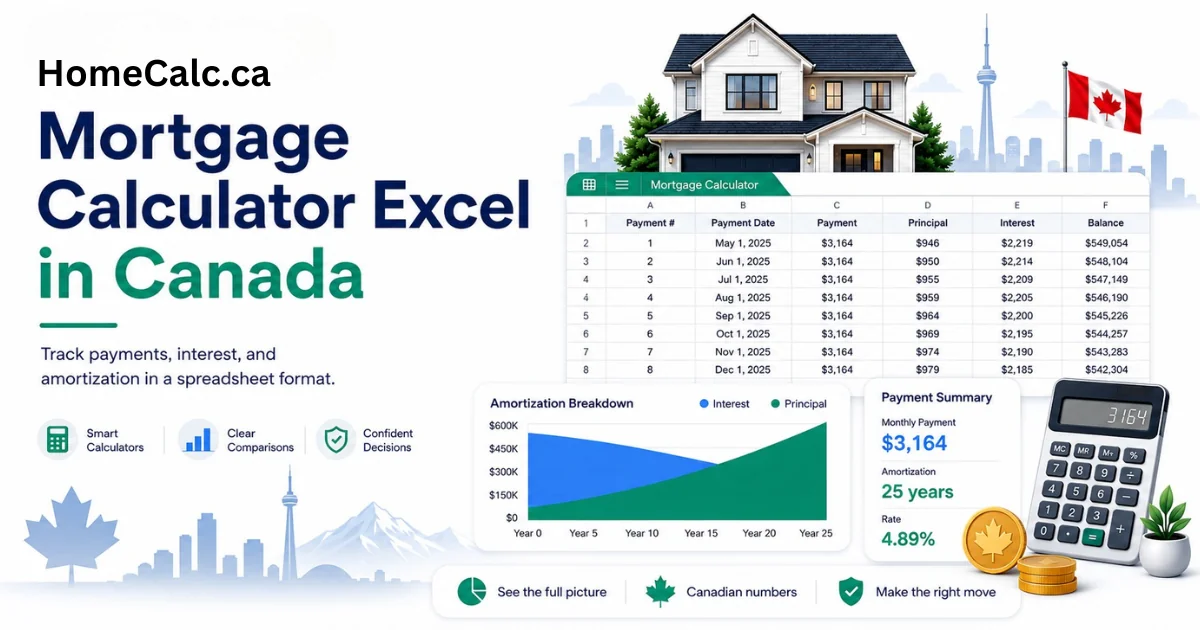
A Canadian mortgage amortization schedule in Excel requires six columns: Payment Number, Payment Date, Payment Amount, Interest Portion, Principal Portion, and Remaining Balance. The interest for each row equals the prior row's remaining balance multiplied by the effective monthly rate. The principal equals the payment amount minus the interest. The remaining balance equals the prior balance minus the principal. These formulas repeat for every row — 300 rows for a 25-year mortgage, 360 for 30 years.
Month-by-Month Schedule — Column Structure
A 25-year Canadian mortgage amortization schedule in Excel requires 300 rows — one per monthly payment — with each row's interest calculated on the prior period's remaining balance using the effective monthly rate.
Row 1 is your initial state (balance = full loan amount, no payment yet). Row 2 is payment 1. For each payment row: Interest = prior balance × effective monthly rate. Principal = total payment − interest. New balance = prior balance − principal. All three formulas reference the prior row, so you only need to write them once and fill down to row 301 (for 25 years) or row 361 (for 30 years).
30-Year Amortization Schedule in Excel
For a 30-year amortization, extend the schedule to 360 payment rows. The formulas are identical — only the row count changes. Use an IF statement to stop interest and principal calculations once the balance reaches zero: =IF(prior_balance<=0, 0, prior_balance * monthly_rate). This prevents negative balances in the final rows if your amortization period differs from the exact payment count. For a ready-made version, use our free mortgage amortization calculator.
Adding Extra Payments to Your Excel Mortgage Calculator
To add extra payment functionality to an Excel mortgage calculator, add an "Extra Payment" column beside the regular payment amount. Each row's principal reduction equals the regular principal plus the extra payment. The remaining balance decreases faster, and subsequent rows' interest charges drop accordingly. The amortization ends when the balance column reaches zero — which will happen earlier than the scheduled row count. An IF function prevents negative balances in the final rows.
Monthly Extra Payment Column
Add a single input cell at the top of the sheet for the recurring extra monthly payment amount. In the schedule, modify the Principal column formula to: =regular_principal + extra_payment_input. The Remaining Balance column automatically reflects the faster paydown. The amortization ends when the balance hits zero — wrap all subsequent rows in =MAX(0, ...) to avoid negative values. To see interest savings, add a running total of the Interest column and compare with and without the extra payment.
Lump Sum Prepayment Scenarios
For lump sum prepayments (e.g., an annual anniversary payment), add an extra column for lump sum amounts alongside the monthly extra payment column. Enter the lump sum in the row corresponding to the payment date. The balance that month subtracts both the regular principal, the monthly extra, and the lump sum. All subsequent rows recalculate automatically. Model multiple scenarios by duplicating the sheet tab and changing the lump sum row and amount. For a faster approach, use our free prepayment calculator, which models monthly, lump sum, and accelerated bi-weekly scenarios side-by-side without spreadsheet setup.
Using HomeCalc Instead of Excel — Instant Results, No Download
For most Canadian homeowners, a free online mortgage calculator produces identical results to an Excel spreadsheet in seconds — without the formula setup, compounding conversion, or version compatibility issues of maintaining a local spreadsheet.
All HomeCalc mortgage tools use the correct Canadian semi-annual compounding formula automatically. No input cells to build, no fill-down required, no risk of formula errors in a copied row. The download template remains the right choice if you need to share the file with a lender, model multiple scenarios offline, or build custom inputs not covered by our tools.
▶ Calculate online instead
- Mortgage payment calculatorCalculate your Canadian mortgage payment online — no download needed.
- Mortgage amortization calculatorSee a full amortization schedule online with any Canadian mortgage.
- Mortgage prepayment calculatorModel extra monthly payments and lump sums — see years saved and interest avoided.
▶ Download the template
- Download free template (.xlsx)Works in Excel, Google Sheets, and LibreOffice. No macros. No email required.
Frequently asked questions
▶ Download the template
- Download free template (.xlsx)Works in Excel, Google Sheets, and LibreOffice. No macros. No email required.
▶ Related calculators
- Mortgage payment calculatorCalculate your Canadian mortgage payment online with the correct semi-annual compounding formula.
- Mortgage amortization calculatorFull month-by-month amortization schedule for any Canadian mortgage.